
RAISE GENIUS · PARENTS & SCHOOLS
Online LEGO Coding: Live Robotics Learning from Home
Online LEGO coding is presented in the original course page as live programming and robot-design learning through Discord, with practical missions and individual help.
Contact the teamOn this page
The online LEGO coding format
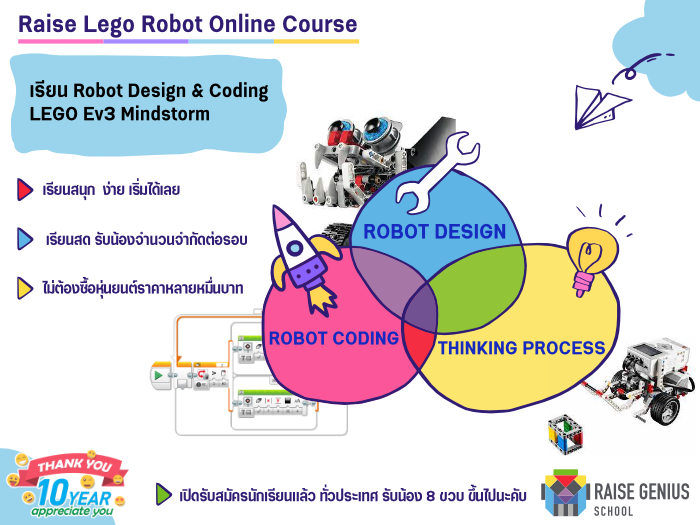
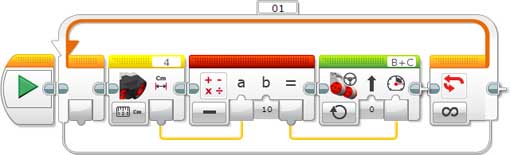
The published course is aimed at children aged around eight and above, particularly primary and lower-secondary learners. It introduces LEGO MINDSTORMS EV3 block programming, robot mechanisms, motor and sensor commands, mathematical processing and algorithms. Children do not need previous coding experience to ask about an introductory class.
The original offer describes eight lessons of two hours, with four time slots on Saturdays and Sundays. It also mentions no admission fee and no compulsory robot-kit purchase. These are published course terms, not confirmation of a currently available place, price or timetable. Check the present software, platform and class arrangements before enrolling.
Learning through missions and interaction
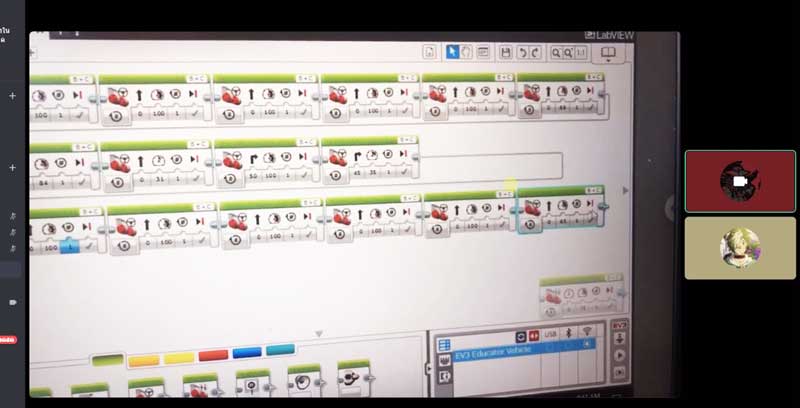
The course page contrasts listening to explanations alone with applying code to a mission. A learner can see a target, write commands, run the program and change it when the robot’s behaviour differs from the plan. Discussion and a short presentation help the teacher understand what the child has learned.
The source describes small groups, ongoing teacher interaction, technical support and progress reports for parents. It gives an example of up to four learners supported by two teachers. Confirm the ratio for the actual class: the published example should not be read as an unconditional staffing commitment for every future course.
Equipment for online LEGO coding
The original requirements are a Windows computer or notebook, a webcam and reliable broadband. It mentions mid-range i3/i5-class processors as examples from the period, not a complete modern compatibility specification. Ask the team to check the exact device, operating system, software version and connection before booking.
A physical EV3 kit at home can support further practice, but the source says it is not required because the programme uses a robot simulation. Simulation provides visible feedback from code; it does not reproduce every physical effect of a real robot. Ask how the selected lessons move between simulated tasks and practical design concepts.
Help, missed lessons and progression
The source describes individual remote help, review sessions and the possibility of moving a lesson when a learner cannot attend. It also mentions up to two absences with make-up arrangements. Confirm notice periods, current availability and the precise policy, especially when several lessons would be missed in sequence.
Any remote-control assistance should be arranged with the parent and teacher through the agreed process. The article names more advanced electronics, coding, web-service and database learning as possible next steps. Progress depends on interest and understanding; completing an introductory course does not guarantee a particular career or comparative advantage over other children.
Original photographs and artwork
These images are retained from the original page as examples of published learning activities and programme information. Some contain Thai text or historical dates. They do not guarantee the same result for a new learner. Confirm current programmes with the team.
View original images

Frequently asked questions
Does my child need a LEGO robot at home?
The original course uses simulation and does not require buying an EV3 kit. Confirm the equipment for the class currently offered.
Can a beginner join?
The source describes teaching from the basics. Share the learner’s age and experience so the team can recommend an appropriate starting point.
What computer should we prepare?
The source specifies Windows, webcam and reliable internet. Request a current compatibility check rather than relying on the old processor examples.
How does the teacher help when a learner is stuck?
The page describes live explanations, individual support and arranged remote help. Confirm how parent permission and technical assistance work.
Can missed lessons be made up?
The published offer mentions two make-up absences and rescheduling options. Ask for the present policy and available replacement dates.
Is online learning only watching a video?
The source describes live Discord lessons with programming, testing, conversation and a short learning presentation.
Are fees and weekend times still the same?
They need confirmation. This translation preserves the course description without guaranteeing historical timetable or fee terms.
Contact and related pages
Tell the team about the learner or organisation, relevant experience and the intended learning purpose. Confirm the current programme, equipment, availability, schedule and fees before booking.
Contact Raise Genius School service overview
- October Robotics Camp: 4 Useful Planning Checks
- Holiday STEM Camp: A Practical School Planning Guide
- Robot Invention: Creative Learning through Student Projects
- STEM Robotics Lessons: A Flexible School Curriculum
- Service Robots: A COVID-19 Technology Archive
- School Camp Visit: Memories from Sap Noi Nuea
- Toy Safe: A Playful Locking-Mechanism Project
- Learning Habits: Small Goals and Supportive Practice
- Family Media Habits: Games, Balance and Conversation
Course-selection guide · Robotics portfolio projects · Competition preparation · Team advice and coaching · Course guide · General FAQ
Related services: School robotics camps · STEM activity stations
Related learning: Raise Maker Arduino · micro:bit robotics · IOTBot & AI · Portfolio preparation · Camp proposal · Accompanying teachers
Related reference: LEGO MINDSTORMS history · Computer preparation