Minecraft Education: First Coding Steps for Primary Learners
RAISE GENIUS · PARENTS & SCHOOLS
Minecraft Education: First Coding Steps for Primary Learners
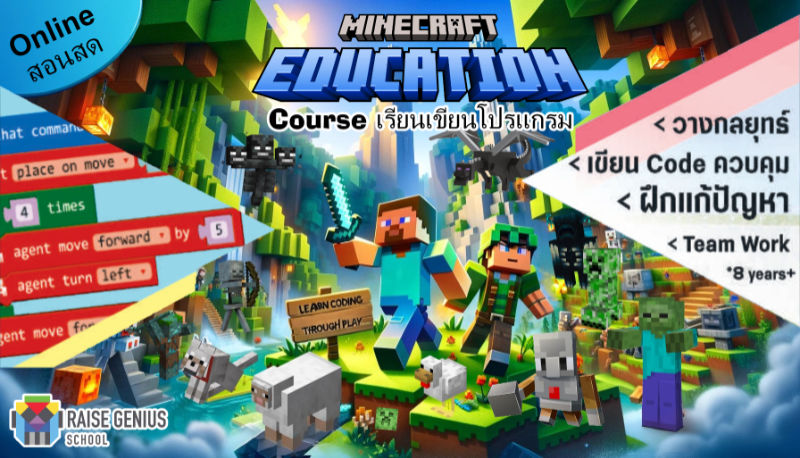
Minecraft coding for beginners uses a familiar creative world as a place to give instructions and test an idea. The source describes Minecraft Education lessons in which a learner controls an Agent through missions. Enjoying the game can provide a starting interest; understanding and changing commands is the learning task.
Contact the teamOn this page
Minecraft coding for beginners: four learning goals behind the missions
Programming logic: practise sequences, conditions, loops and functions through visible blocks before moving towards typed commands when ready.
Problem solving: divide a mission such as gathering resources, constructing something or solving a puzzle into smaller actions. Run the sequence, observe the result and debug it.
Confidence and curiosity: a working instruction can give the child a reason to investigate another idea. It is an opportunity for progress, not a guarantee that every learner will enjoy every activity immediately.
Presentation: the published format includes explaining the session’s work and reporting progress to parents. Ask the team how those reports work in the current class.
A story from the school archive
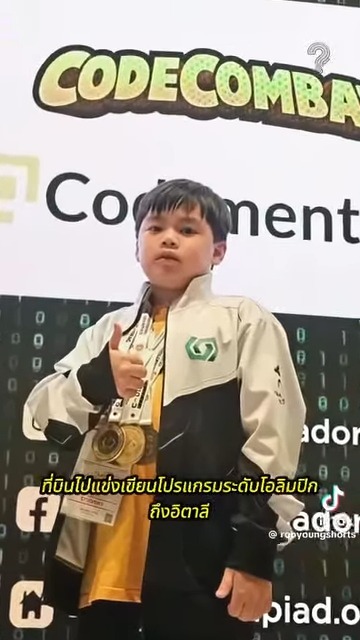
The source recounts Pace, who began learning online from Phuket at a little over six years old, starting with Minecraft Education. It describes later Coding and STEM competition success in Italy and says the family approved sharing the story.
The story is retained as an attributed school account, not independently verified proof of an award or a prediction for another child. The original reference video should remain an optional external link; no social-media player needs to load automatically.
The family approach described is continued opportunity without pressure for an immediate competition result. A learner’s enjoyment, practice and understanding deserve attention alongside any later achievements.
Readiness and practical arrangements
The source suggests looking for interest in creative games, curiosity about how things work, basic familiarity with English text and numbers, and an ability to engage with a chosen activity. Its forty-five-to-sixty-minute observation is an example, not a formal attention assessment or an entry test.
The published example accepts primary learners from six without previous coding, in groups of one to four per teacher. It describes one roughly two-hour session a week and possible session transfers. Confirm the actual group, timing and transfer terms.
The source lists iPad, tablets, Windows and Mac devices, but device suitability depends on the exact supported version and lesson workflow. Confirm the actual device before enrolling. The communication platform’s age requirements are separate from the course age; ask for a compliant arrangement.
Progress beyond the first missions
The article describes Roblox Game Maker from age nine with some block-coding background, followed by possible Arduino, IoT, Unity3D or AI-related learning as readiness and interests develop.
Minecraft Education’s coding missions serve a different educational purpose from simply joining a recreational game. Ask what the child will make, explain and change in the proposed course.
Confirm teaching language, current software, equipment, schedule and fees. A clear next step should build on something the learner understands, rather than require every child to follow the same timetable.
Original photographs and artwork
These images are retained from the original page as examples of published learning activities and programme information. Some contain Thai text or historical dates. They do not guarantee the same result for a new learner. Confirm current programmes with the team.
View original images
Frequently asked questions
Does a beginner need previous coding experience?
The source’s Minecraft example does not require it and begins with blocks. Confirm reading, device use and the actual course placement with the teacher.
How is it different from ordinary game play?
The described lessons use Agent missions, commands, testing and explanations of the learner’s work. Familiar surroundings support a structured task rather than replace teaching.
Which device and class size are mentioned?
The original lists several device families and one to four learners per teacher. Confirm the current supported workflow, group and age-appropriate communication access.
What can follow Minecraft Education?
The source describes Roblox from age nine with block experience, and later robotics or software projects. Choose the next step by readiness and interest.
Contact and related pages
Tell the team about the learner or organisation, relevant experience and the intended learning purpose. Confirm the current programme, equipment, availability, schedule and fees before booking.
Contact Raise Genius School service overview
- Benefits of Robotics Learning for Children
- When to Start a Robotics and AI Portfolio
- AI Learning for Children: Start with Coding Foundations
- Equipment, Curriculum and Training for a School Robotics Club
- Starting an AI or IoT Project for a Portfolio
- Choosing a Coding Course for Children: A Family Guide
- A Guide to School Robotics and STEM Camps
- Roblox Game Making or Minecraft Education: Where to Begin?
- Robotics Engineering Careers and a Changing AI Workplace
Course-selection guide · Robotics portfolio projects · Competition preparation · Team advice and coaching · Course guide · General FAQ
Related services: School robotics camps · STEM activity stations
Related learning: Raise Maker Arduino · micro:bit robotics · IOTBot & AI · Portfolio preparation · Camp proposal · Accompanying teachers
Related reference: Original learner video linked by the school (Facebook)