Robotics for kids
Choose a pathway for your child’s age and goals
Start with the learner’s interests, then develop coding, robotics, game creation, IoT and portfolio projects step by step. Our teachers help suggest a suitable starting point.
Explore six learning pathways
Compare age guidance, interests and project types before reading the full details below.
Minecraft Coding
Explore block coding and Python through Minecraft Education. Learn systematic thinking in an enjoyable setting, with one to four learners per teacher.
Explore the course →Who it suits
For beginners and children who enjoy games and want a gradual introduction to coding.
IOTBot & AI
Build robotics, automation and IoT mini projects inspired by practical problems.
Explore the course →Who it suits
For learners with block coding foundations who want to build physical projects.
Roblox Game Maker
Move from playing to creating. Explore Lua, 3D scenes and developing your own game.
Explore the course →Who it suits
For ages nine and above with some block coding experience and an interest in game design.
Microbit Robot
Explore sensors, microcontrollers and automation through practical projects.
Explore the course →Who it suits
For learners interested in electronics, smart-home ideas and physical robots.
Arduino Robot
Study circuits, electronics and programming through projects related to engineering interests.
Explore the course →Who it suits
For upper secondary learners developing projects and evidence for further study.
WebApp & Database
Develop web applications, databases and structured programming skills for further study.
Explore the course →Who it suits
For learners interested in computer science, AI or software development.
| Course | Who it suits | Main skills | Project evidence | Details |
|---|---|---|---|---|
| Minecraft Coding | Ages six and above; beginners | Block coding and Python | Coding missions in Minecraft | Explore course → |
| IOTBot & AI | Upper primary–lower secondary, with block coding foundations | Robotics, IoT and AI | Automation mini projects | Explore course → |
| Roblox Game Maker | Ages nine and above, with block coding foundations | Game design and Lua | 3D games and scenes | Explore course → |
| Microbit Robot | Ages 13–15 | Sensors and microcontrollers | Electronics projects | Explore course → |
| Arduino Robot | Upper secondary; portfolio interests | Circuits, C programming and robotics | Engineering preparation projects | Explore course → |
| WebApp & Database | Upper secondary and beyond | C#, WebApp development and databases | A project demo and code | Read the details → |
Ask the teaching team →
Robotics for kids: courses and services
Explore children’s robotics courses, camps, weekend learning, workshops, school teaching and related services.
Robotics, automation and coding pathways for primary and secondary learners and some first-year university students. Age and experience requirements vary by course; entry-level Minecraft coding starts from age six.
Build coding foundations with block coding and Python →
Apply your coding to robotics, automation and Internet of Things projects with IOTBot, or explore game creation with Roblox Game Maker →
Develop electronics and robotics skills with micro:bit Robot →
Explore more advanced coding and robotics projects with Arduino, document your learning for a portfolio, and progress to WebApp and Database when ready.
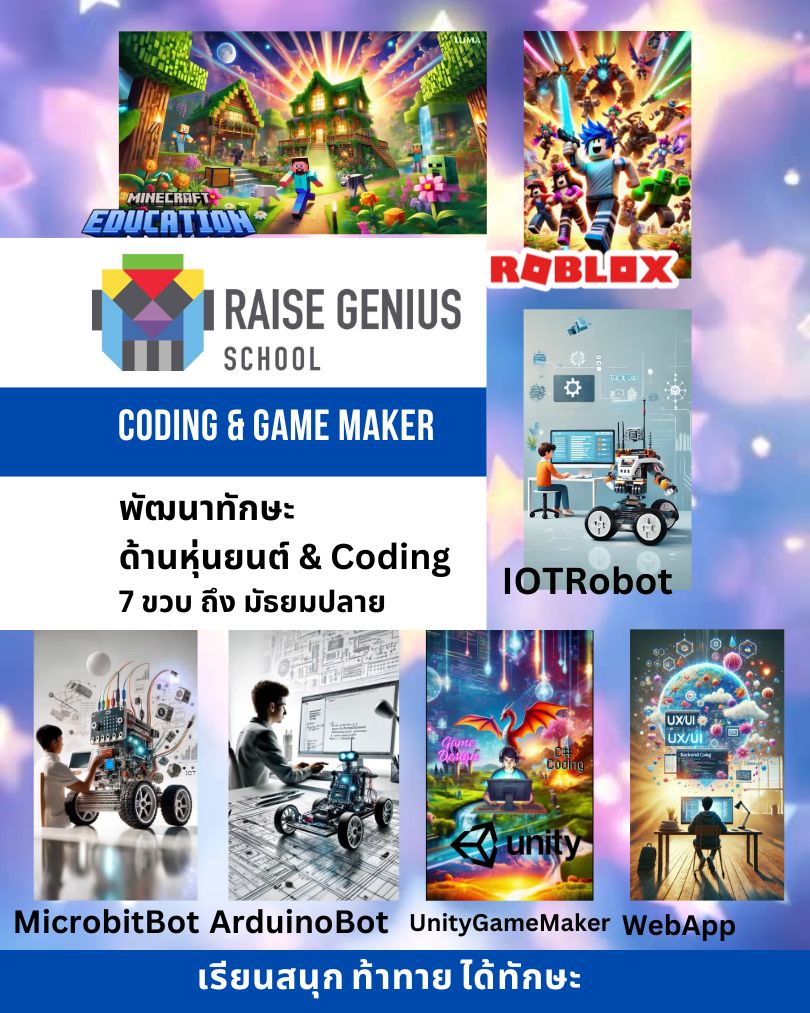
Choosing a Raise Genius School course for your child
Course Selection Guide for Parents – Raise Genius School
Why choosing the right starting point matters
Every learner is different. Some enjoy mechanical building, some prefer programming and others want to create games.
A course should match the learner’s interests, readiness and goals so that the challenges remain engaging and manageable.
Raise Genius School offers several connected learning areas:
✓ Coding: block coding and Python through Minecraft Education.
✓ IOTRobot: robotics and automation with IoT and AI applications.
✓ Game Maker: game development with Roblox and Unity3D.
✓ micro:bit and Arduino: coding, mechanisms, electronics and IoT for secondary learners.
✓ WebApp and Database: practise with programming and database tools used in further study and practical development.
Detailed course comparison
A detailed guide to the pathways
Open the course sections that interest you. Compare skills, equipment and learning arrangements before enrolling.
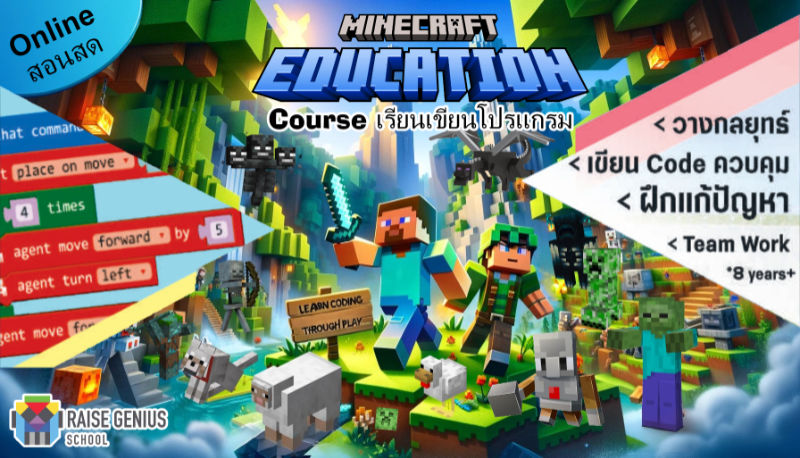
Minecraft Coding — Build the foundations
Suitable for:
✓ Children starting to explore STEM who need a clear introduction to coding.
✓ Learners who prefer a gradual increase in challenge as their confidence develops.
✓ Children who enjoy games.
✓ Parents looking for an enjoyable starting point with guidance and classmates.
– Explore variables, loops, conditions and functions as programming foundations.
– Develop programming skills you can build on later.
Minecraft Education: course length and equipment
– One course includes 12 two-hour lessons.
– The published options are 09:00–11:00, 11:00–13:00, 13:00–15:00 and 15:00–17:00, Thailand time. Confirm current availability.
– Live online weekend classes in small groups. Learners use a camera and share their screen through Discord.
– Equipment: a suitable laptop, desktop, iPad or supported tablet and reliable home broadband. Ask the team to confirm device and software compatibility before enrolling.
– Progress from beginner block coding towards Python as foundations develop. The pace varies with experience, age and practice; there is no fixed progression time for every learner.
– Ongoing learning is available through a growing range of coding missions, with more than 70 missions described in the course guide.
– Possible progression: Minecraft Education → Roblox Game Maker.
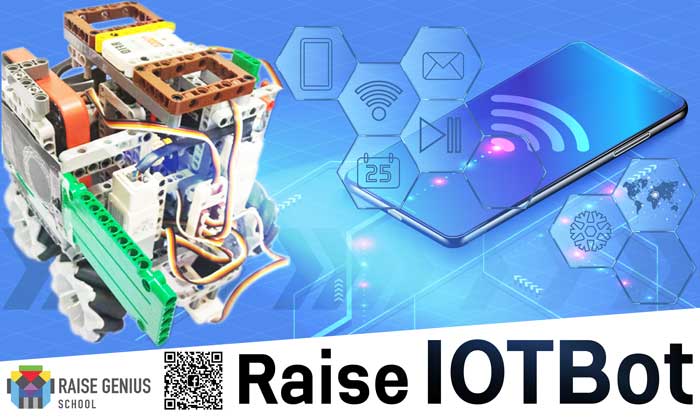
IOTBot & AI — Robotics and automation
Suitable for:
✓ Learners with some block coding experience. Projects combine coding, construction and a control interface, so a coding foundation helps manage the different tasks.
✓ Children interested in building inventions, robots and automation projects.
✓ Parents who want a gradual introduction to robotics and AI, with opportunities to develop further.
✓ Families interested in learning with robotics teachers trained at the Institute of Field Robotics (FIBO), KMUTT.
– Connect programming to sensors, motors and Internet of Things functions.
– Explore AI functions in interfaces used to control a robot.
– Develop practical building skills.
IOTBot: course length and equipment
– One course includes 14 two-hour lessons.
– The published options are 09:00–11:00, 13:00–15:00 and 15:00–17:00, Thailand time. Confirm current availability.
– Live online Saturday classes in small groups, using Discord, a camera and screen sharing.
– Equipment: a suitable laptop or desktop and reliable home broadband.
– Explore varied mini projects to apply skills in different situations.
– Ongoing projects may be updated as technology and learner interests develop.
– Possible progression: IOTBot → micro:bit Robot → Arduino → WebApp.
Roblox Game Maker — Create games with Lua
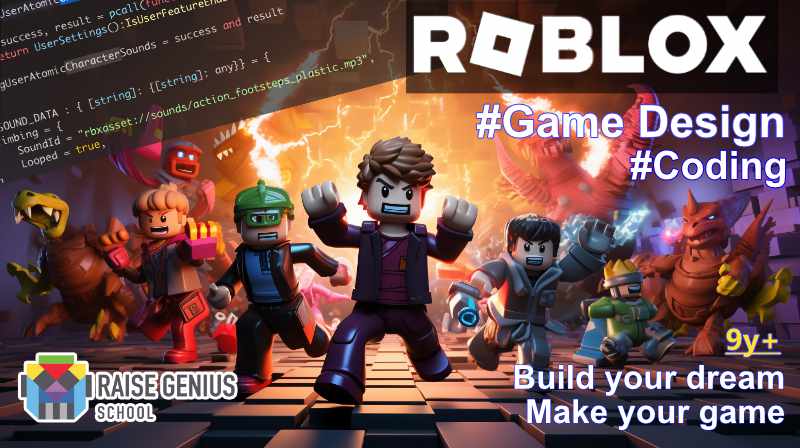
Suitable for:
✓ Learners aged nine and above with block coding foundations, for example from Minecraft Education. Experience with Python, Lua or JavaScript may also be helpful.
✓ Children who enjoy Roblox and want to understand how its games are made.
✓ Learners exploring an interest in game development and game design.
✓ Parents who want their child to understand how games work through creating them.
Skills and possible outcomes:
– Explore game loops, graphics, physics and collision detection.
– Build your own simple 2D or 3D game, such as a platformer, puzzle or role-playing prototype.
– Develop game creation skills that may support further study and project evidence.
Roblox Game Maker: course arrangements and equipment
– One course includes 12 two-hour lessons.
– Published options are 09:00–11:00, 13:00–15:00 and 15:00–17:00, Thailand time. Confirm current availability.
– Live online weekend classes in small groups. Learners use a camera and share their screen through Discord.
– Equipment: a suitable laptop or desktop and reliable home broadband.
– Develop from coding foundations towards Lua, 3D modelling and AI-related projects when ready. Progress depends on experience and practice rather than a fixed timetable.
– Ongoing learning includes a range of mini projects and challenges to explore with classmates.
Four areas of progression:
1. Programming foundations: accessible challenges for learners who enjoy games and are developing their coding skills.
2. Lua coding: create more complex game mechanics.
3. Basic modelling: design scenes and characters for your game.
4. Introductory AI-assisted work: explore assistance only when you have enough coding understanding to test and debug the result.
– Possible progression: Roblox Game Maker → Unity3D Game Maker.
micro:bit Robot — Sensors and electronics
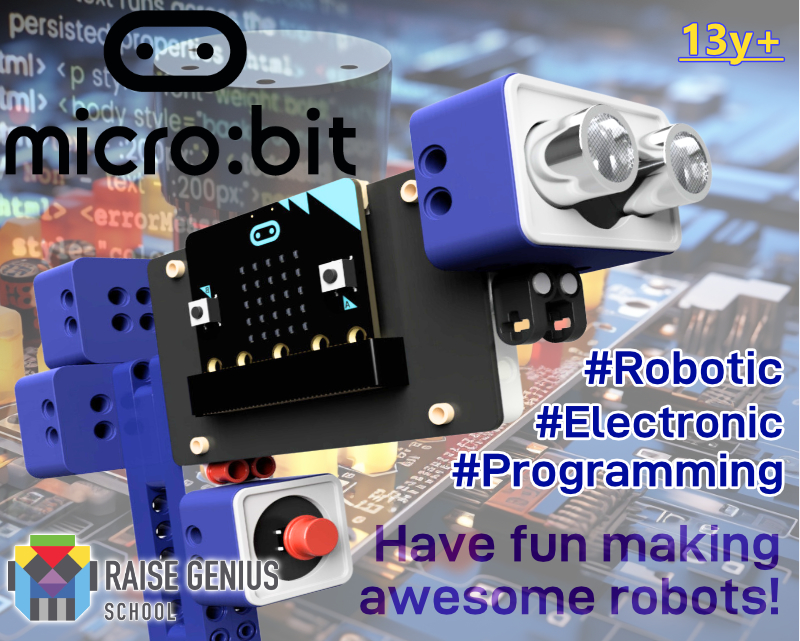
Suitable for:
✓ Learners with some programming experience.
✓ Children interested in electronics, smart-home ideas, automation or robots.
✓ Learners curious about how sensors and robotic systems work.
✓ Children who enjoy building robotics and automation projects.
✓ Parents who want practical STEM learning while their child explores interests and aptitudes.
Skills and possible outcomes:
– Explore sensors for measurements such as light, temperature and distance.
– Learn how microcontrollers and programs control devices.
– Develop projects such as traffic-light models, distance measurement or temperature monitoring.
– Portfolio: Project Demo, Code + Wiring Diagram
– Explore IoT concepts related to smart-city, farming and industrial applications.
micro:bit Robot: course arrangements and equipment
– One course includes 14 two-hour lessons.
– Published Sunday options are 09:00–11:00, 11:00–13:00, 14:00–16:00 and 16:00–18:00, Thailand time. Confirm current availability.
– Live online Sunday classes in small groups through Discord, using a camera and screen sharing.
– Equipment: a suitable laptop or desktop and reliable home broadband.
– The published robotics kit includes a microcontroller, sensors, motors and structural parts, sent to the learner’s home. The guide lists THB 6,800; confirm the current kit and total cost before ordering.
– Possible progression: micro:bit Robot → Arduino → WebApp.
Arduino Robot — Projects and portfolios
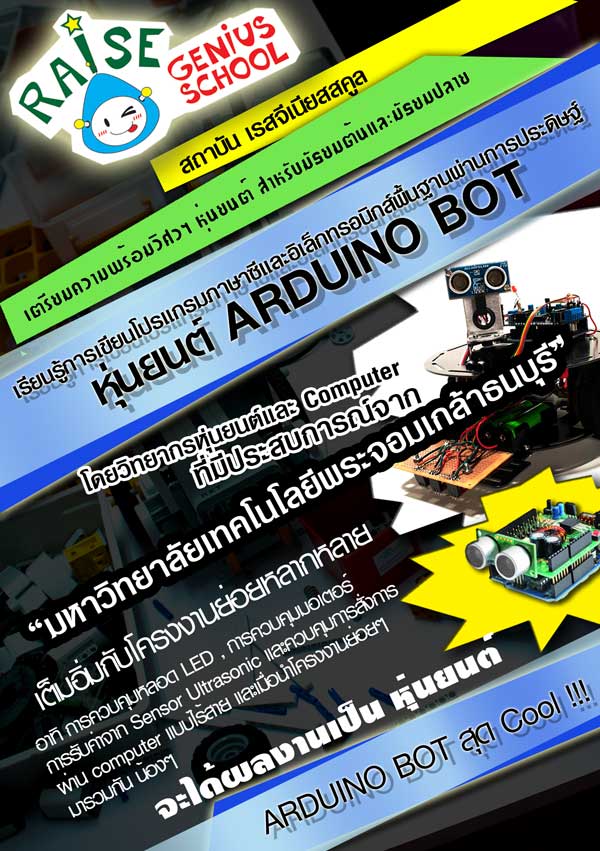
Suitable for:
✓ Learners interested in electronics, circuits, C programming, smart-home ideas, automation or robots.
✓ Students interested in circuits, soldering, programming and engineering tools used in further study.
✓ Learners exploring robotics, electronics, mechatronics and related interests.
✓ Families considering future engineering and technology study.
Skills and possible outcomes:
– Explore sensors, including light, temperature and distance measurement, and motors.
– Explore circuits such as voltage dividers, microcontrollers and programming for device control.
– Develop projects such as traffic-light control, mobile robots, automatic watering or temperature monitoring.
– Portfolio evidence may include a project demo, code and a wiring diagram.
– Build IoT foundations relevant to further engineering study.
Arduino Robot: course arrangements and equipment
– One course includes 14 two-hour lessons.
– Published Sunday options are 09:00–11:00, 11:00–13:00, 14:00–16:00 and 16:00–18:00, Thailand time. Confirm current availability.
– Live online Sunday classes in small groups through Discord, using a camera and screen sharing.
– The published kit includes a microcontroller, sensors, motors and structural parts, sent to the learner’s home. The guide lists THB 3,800; confirm current components and total costs with the team.
– Equipment: a suitable laptop or desktop and reliable home broadband.
– Possible progression: Arduino → WebApp.
WebApp and Database — Skills for further study

Suitable for:
✓ Learners interested in computer science or AI at university.
✓ Students who want practical experience with C#, WebApp development and databases.
✓ Families considering further study in IT, AI and related fields.
Skills and possible outcomes:
– Understand the main parts of a WebApp and its database.
– Explore C# programming, ER diagrams, relationships and keys.
– Develop applications such as product reservation or registration systems.
– Portfolio evidence may include a project demo, code repository and UX/UI screens.
– Develop programming foundations for further technical study.
WebApp and Database: length, fees and equipment
– One course includes 14 two-hour lessons, totalling 28 hours.
– Published course fee: THB 9,900 before promotions. Confirm the current price.
– No equipment deposit or additional course equipment fee is listed. Confirm computer and software requirements.
– Published Sunday options are 09:00–11:00, 11:00–13:00 and 14:00–16:00, Thailand time.
– Live online Sunday classes in small groups through Discord, using a camera and screen sharing.
– Equipment: a suitable laptop or desktop and reliable home broadband.
– Learning pathway: WebApp development.
Choosing robotics for kids: practical guidance
Raise Genius School pathways are organised around interests, age and prior learning. Start with suitable coding foundations, then explore robotics, IoT or game creation as the learner is ready. Robotics for kids combines practical projects, systematic thinking and opportunities to explain what you build.
Explore the platforms used in learning at Minecraft Education
Frequently asked questions about robotics for kids
At what age can a learner start?
Minecraft coding starts from age six in the published guide. Choose activities and other robotics pathways according to experience, interests and teacher assessment.
What skills can learners explore?
Pathways combine coding, robotics and problem solving through practical projects.
Do beginners need coding experience?
Beginners can start with block coding, then progress towards Python, Lua or C# when ready.
How should parents choose a pathway?
Consider the learner's age, interests, existing skills and the projects they would like to develop. Ask the teaching team to assess the starting point.
Share your child’s age and goals with our teachers →
Quick comparison
| Comparison point | Coding Minecraft Education | IOTBot | Roblox Game Maker | Microbit | Arduino | WebApp |
| Age guidance | Ages six and above | Upper primary–lower secondary | Ages nine and above, with block coding foundations | Ages 13–15 | Upper secondary | Upper secondary |
| Challenge level | Introductory to intermediate | Intermediate | Intermediate | Intermediate | Advanced | Advanced |
| Device | Ipad, Tablet, Computer, Notebook | Computer, Notebook | Computer, Notebook | Computer, Notebook | Computer, Notebook | Computer, Notebook |
| Equipment sent to the learner’s home | – | IOTBot robotics kit | – | micro:bit robotics kit | Arduino robotics kit | – |
| Possible progression towards | Broader engineering interests | Robotic | Game Dev, Multimedia | Robotic | Robotic | Robotic, AI |
| Mood/Tone | Playful exploration | Practical learning | Creative challenges of increasing complexity | Focused learning Practical work |
Focused project work Practical work |
Complex practical challenges |
| Learning approach | Mission Base Learning | Mini Project/ Update Technology | Mini Project | Mini Project | Project Base | Learning Curve/ Mini Project |
More questions about choosing a course
My child is ten and has never coded. Where should we start?
Ask about Minecraft Education as an introductory coding pathway. The published entry level starts from age six and does not require previous coding. Learners explore logic through practical missions and see how their code changes the result.
My child enjoys games. Can they join Game Maker?
Ask the teaching team to assess readiness. Roblox Game Maker is for ages nine and above with some block coding foundations. Previous coding helps learners understand the next programming challenges.
Can a learner take more than one course at a time?
Some learners combine courses. Discuss interests, workload and foundations with the teacher. IOTBot with coding or Roblox may be suitable for some learners; a combination should match the individual rather than simply add more class time.
Which course can support university portfolio preparation?
Arduino, WebApp and other project-based pathways can support skill development and project evidence. Each university sets its own criteria, and a course does not guarantee admission. Allow time to develop work you understand, record your contribution and practise explaining it. Discuss the actual deadline and a realistic scope with the teacher.
Why learn with Raise Genius?
✓ Experience working with public and private organisations.
✓ Over 15 years of teaching experience described in the guide, with origins in a university business incubation programme in 2011.
✓ A teaching team experienced in guiding children and young learners.
✓ A choice of learning pathways suited to different interests, strengths and goals.
✓ Opportunities to develop from primary foundations towards upper secondary projects.
✓ Course changes may be possible, subject to readiness, class availability and current arrangements.
✓ Practical project evidence for a portfolio, without a guaranteed admission outcome.
✓ Guidance on possible next learning steps.
Services for primary and secondary schools and public organisations, private organisations and businesses.