Online Robotics Learning When No Class Is Nearby
RAISE GENIUS · PARENTS & SCHOOLS
Online Robotics Learning When No Class Is Nearby
Online robotics learning options can help families who have no nearby teaching centre. The source compares live lessons, free resources, school activities and short camps. A family can combine approaches as interests develop rather than commit to one route forever.
Contact the teamOn this page
Four online robotics learning options and alternatives
1. Live online teaching offers questions, classmates and a planned sequence from home. It needs a suitable computer and a sufficiently reliable connection.
2. Free resources and teaching clips can introduce an interest or support revision. They do not necessarily provide a person who answers when a program fails.
3. A school club or subject fits into an existing timetable, where the school has suitable teachers and equipment.
4. A short holiday camp provides physical equipment and a group experience, but may involve travel/accommodation and fewer opportunities for continuous practice. These are different benefits and limitations, not a ranking that suits every child.
Three questions before selecting a route
Is someone available when the learner gets stuck? Ask whether the session is genuinely live and how the teacher follows a screen or project.
Does the schedule fit family life? Confirm absence, make-up and transfer arrangements before assuming a missed lesson can be replaced.
What follows the first course? A pathway might continue towards Arduino automation, IoT, coding or game making. Progression should respond to interest and readiness.
Published school arrangements and an age discrepancy
The article describes live weekend lessons through Discord, four rounds per day, eight two-hour sessions and no entry fee for its cited course. It also mentions two absences with make-up arrangements and session transfers. These are source terms to confirm, not a new offer.
The summary gives entry from age eight, while the source FAQ gives age nine and above. This English version does not silently choose one conflicting age threshold. Ask the team to confirm eligibility for the exact current course.
Communication-platform age requirements are separate from course ages. Confirm appropriate access with the school; no underage Discord account is suggested.
The school’s fifteen-year/UBI profile is attributed to the source. No current affiliation, timetable or outcome has been independently established by translating the article.
Readiness by learning stage
Ages 7-9: start with construction and block commands appropriate to reading readiness. A younger pupil may explore foundational coding or game activities first, with a parent nearby for setup.
Ages 10-12: longer tasks and simple mechanisms may become appropriate, with the family checking attendance and the learner increasingly speaking directly to the teacher.
Lower secondary: develop text programming and document a project that addresses a nearby problem. Upper secondary: keep notes on the question, tests, failures and improvements as well as the finished result.
A project can document learning; it does not guarantee a university place. Confirm current admissions requirements with the institution separately from choosing a course.
When live teaching may be worth trying
The source highlights two practical signs: a child has followed a video but stops when there is no one to answer, and the family can provide uninterrupted access to a computer for the lesson.
Connection stability matters more than an isolated speed number. Test the actual call, screen sharing and learning program before deciding. This does not guarantee that every connection will work.
Use the computer-readiness, parent-support and course-choice articles to prepare a trial enquiry and confirm current dates, eligibility, equipment and fees.
Original photographs and artwork
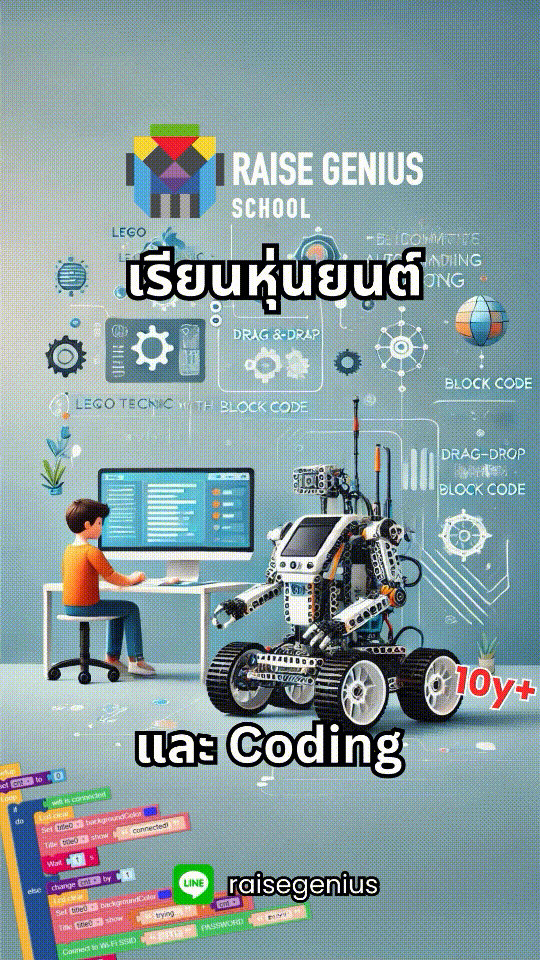
These images are retained from the original page as examples of published learning activities and programme information. Some contain Thai text or historical dates. They do not guarantee the same result for a new learner. Confirm current programmes with the team.
View original images
Frequently asked questions
At what age can the online robotics course begin?
The source is inconsistent: its summary says eight and above, while its FAQ says nine and above. Confirm the current threshold and readiness with the team. Younger learners may discuss introductory coding/game pathways instead.
How is live teaching different from free clips?
A live teacher can answer questions and follow a learner’s work during the session. Clips are useful for exploration or revision but may not provide immediate individual help.
Can a family with a modest internet connection try?
The source recommends testing a live lesson and assessing the complete setup. Stability, audio and screen sharing matter; ask the team to help assess the connection before committing.
Contact and related pages
Tell the team about the learner or organisation, relevant experience and the intended learning purpose. Confirm the current programme, equipment, availability, schedule and fees before booking.
Contact Raise Genius School service overview
- Computer Specs for Children’s Coding Lessons
- How Much Parent Support Does Online Coding Need?
- Choosing Online Coding for Kids by Age & Readiness
- Robotics for Small Schools with Limited Budgets
- Choosing Robotics Teacher Training for Your School
- Planning School STEM Robotics Camps & Budgets
- Starting a School Robotics Classroom: People Before Kits
- Primary Computing Lessons: From Mechanisms to Code
- Helping a Child Become a Programmer: Build Foundations
Course-selection guide · Robotics portfolio projects · Competition preparation · Team advice and coaching · Course guide · General FAQ
Related services: School robotics camps · STEM activity stations
Related reference: Discord minimum-age information